 Athena
It learns from everyarticle you publish.
Athena is not another report. Every site has its own brain – it remembers what works for your readers and what rules your newsroom has, and answers from that.
Four kinds of memories
Findings from data
After every check Athena writes down what the analyses showed: which headlines and topics work, when to publish, where ads cause problems. A newer finding replaces the old one.
Newsroom rules
Say “Remember that…” and the rule is pinned. Athena applies pinned rules to every later answer.
Notes and preferences
What you want to track, how you write, who for. Add notes in the chat or on the Brain page – and edit them any time.
Clear groups
Memory is organised in groups – rules, findings, facts, audience. Every answer shows which memories it used.
A brain you can look into
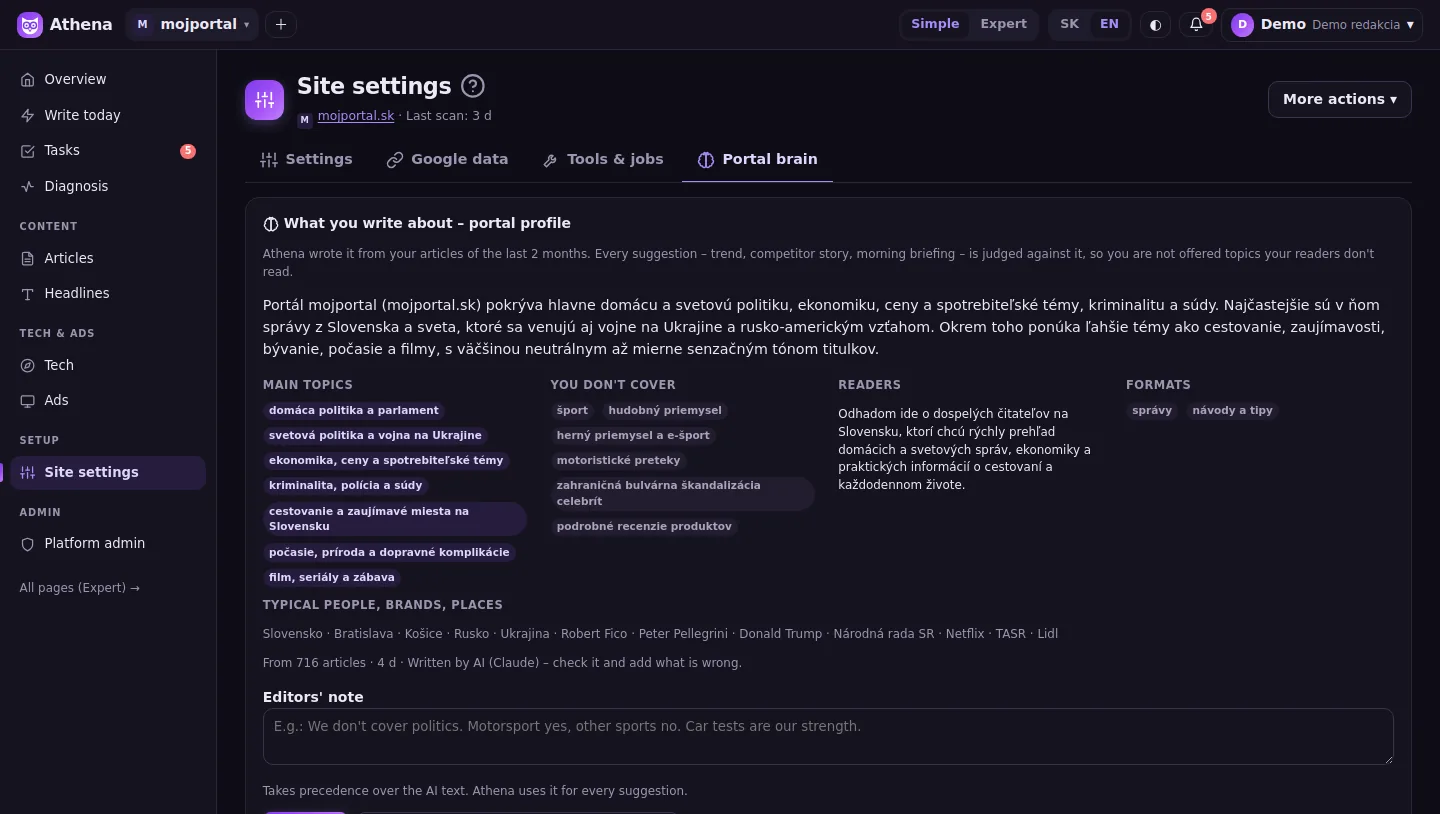
No black box. The Brain page shows all of the site's memories in groups – what is pinned, where each memory came from and how often it is used. Teach a new newsroom rule in one sentence. You can edit or delete anything.
- Search by meaning, not keywords
- Embeddings computed by a local model on our server
- Every site has its own separate memory
You ask. The brain remembers.
Athena adds pinned rules and related memories to every answer. Chat answers are written by Claude from Anthropic, based on a summary of your site's metrics.
Illustrative example. Real answers are based on your site's data.
An owl that keeps watch for you
The animated owl in the app watches your site with you. When something breaks, it tells you. On every page it suggests what to do next, and when you click it you can ask – by voice too.
- Warns about important tasks and errors
- Tips right inside the app, step by step
- Thinks while Athena prepares an answer
- Can be turned off any time
Try Athena on your own site
During the beta Athena is free for one site – we cover the cost of the services. Signing up takes a minute.